How to Automate Your Small Business with Asli Marketplace: 2026 Step-by-Step Guide
For small businesses and growing manufacturers across Pakistan, managing B2B lead generation, bulk inquiries, and supplier outreach manually can eat up hours of valuable time every single day.


 RUP Technologies
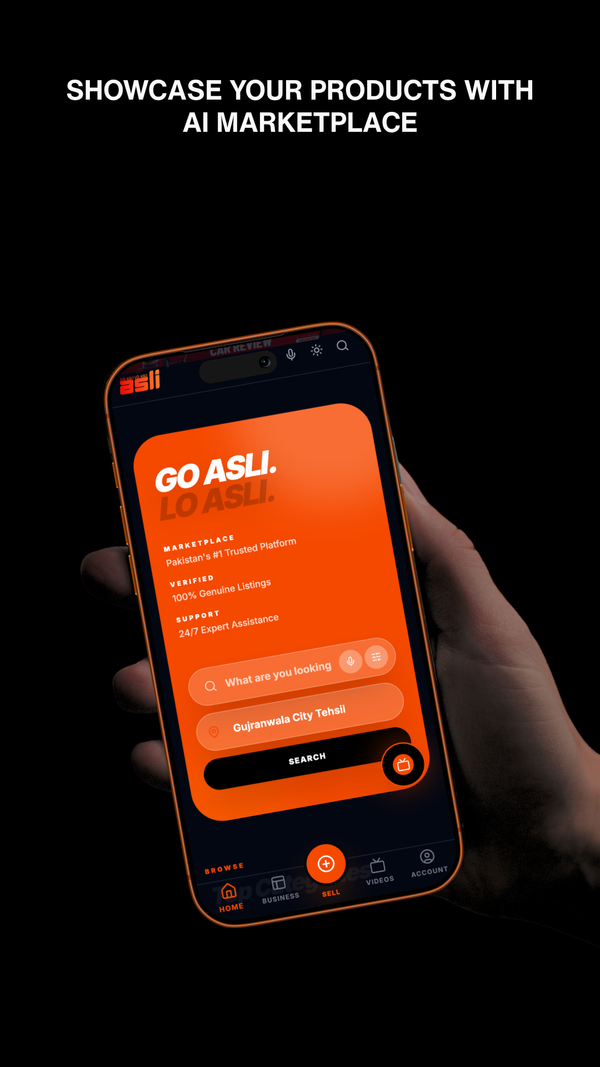
As a modern, AI-powered B2B platform built specifically for Pakistani trade, asli.pk offers built-in tools to automate how you capture, verify, and fulfill orders.
Here is your comprehensive, step-by-step guide to putting your wholesale and export operations on autopilot using asli.pk.
1. Why Automation Matters for Modern B2B Sellers
Traditional trade in Pakistan's massive industrial clusters (like Sialkot or Gujranwala) often relies on manual WhatsApp chats, endless phone calls, and unverified brokers. Automation on asli.pk changes the game by:
- Cutting out middlemen: Incoming RFQs (Requests for Quotes) route directly to your dashboard.
- Preventing spam: AI-powered moderation filters out duplicate or fake buyer inquiries automatically.
- Consolidating channels: Managing international and local inquiries in one organized control center.
2. Step-by-Step: Automating Your Workflow on asli.pk
If you are looking to scale your manufacturing or local wholesale business without tripling your administrative workload, configure your digital storefront using this sequential setup.
1.Establish Your Digitized Storefront:Setup Time: 2 Mins.
Register your business on asli.pk and select your relevant Geo-Economic Cluster (e.g., Faisalabad for Textiles or Gujranwala for Metals & Appliances). Complete your profile details and upload high-resolution photos of your manufacturing capacity or products.
2.Configure Wholesale Unit Slabs & MOQ Rules:Setup Time: 5 Mins.
Instead of manually negotiating prices for every order size, set up clear Wholesale Unit Slabs directly on your listings. Set your Minimum Order Quantity (MOQ) and tier prices. This allows buyers to instantly calculate costs and automated sample fees without needing to contact you first.
3.Enable Instant Chat/What's app & Auto-Responders:Setup Time: 5 Mins.
Turn on notifications for the integrated asli.pk chat tool. Set up predefined quick-replies for common buyer questions (such as transit times from Karachi ports, certificate availability, or fabric composition) to ensure instant engagement.
4.Set Up RFQ Alert Filters:Setup Time: 5 Mins.
Go to the RFQ Global Inquiries Board and configure keyword filters matching your products (e.g., "surgical instruments" or "cotton bedsheets"). By setting up these filters, the platform automatically flags matching global purchase requests so you can pitch instantly.


3. Top Automation Best Practices for Pakistani Exporters
To get the most out of your digital B2B pipeline, focus on these three high-impact strategies:
| Strategy | Actionable Step | Expected Outcome |
| Batch Your Quote Responses | Allocate 15 minutes twice a day to bulk-respond to system-filtered RFQs rather than checking them hourly. | Saves up to 2 hours of daily screen time. |
| Trust the AI Moderation | Let the built-in asli.pk AI system auto-moderate and flag suspicious profiles. | Reduces time wasted on non-serious or fake inquiries. |
| Automate Sample Requests | Create a standard "Sample Package" listing with an MOQ of 1 unit. Direct international inquiries to purchase this pre-configured package directly. | Minimizes back-and-forth negotiations for validation samples. |
The Golden Rule of B2B Automation: The goal isn't to remove the human touch, but to eliminate the administrative busywork. By automating lead filtering, basic pricing, and initial inquiry routing on asli.pk, you free up your team to focus on what really matters—closing large bulk contracts and manufacturing premium products.
Industrial listing Demo
 Fashion & Beauty
 Mobiles
 Electronics & Home Appliances
 Fashion & Beauty
 Vehicles
 Property for Sale
 Bikes
Bikes
 Animals
 Furniture & Home Decor
 Books, Sports & Hobbies
 Kids
Kids
 Services
 Jobs
Jobs